Drag, Drop, and Upload Salesforce Files
By SyncApps by CazoomiAgent Productivity
- Rating
- 4.2
- Reviews
- 93
- Pricing
- Paid
- From $49.99 per company per month
- Listed since
- 2012
About Drag, Drop, and Upload Salesforce Files
Drag, Drop, and Upload your files, attachments and content to Salesforce
What Can I Do with Drag, Drop, and Upload Salesforce Files?
The possibilities for quickly and seamlessly uploading files into Salesforce are endless.
We'll provide you with a few examples to help you get started quickly.
You can quickly attach files, presentations, customer and prospect files, case logs, emails, contracts, legal documents, marketing collateral, and Google Drive files to any standard or custom object in Salesforce.
Our subscribers already use the Drag & Drop feature to simplify their Salesforce workflows. They use it to:
- Attach files to Campaigns
- Log files with cases for Service Cloud
- Add Google Drive files to ensure the Sales team's File Upload compliance
- Attach contracts to opportunities from email attachments
- Upload financial documents to accounts or contact records
- Keep legal documents on the client accounts for compliance purposes
- Upload training videos as Salesforce content for Sales teams
- Drop marketing materials onto client accounts for easy access by Sales.
- All current stable versions of browsers supported
100% Force.com & Aloha App.
Document upload size - 25MB File upload size - 25MB Content upload size - 25MB
Highlights
- Directly upload files from Google Drive with our 100% cloud-based system tailored for sales and marketing teams.
- Ideal for all departments: Accounting will love this during reporting, marketers can create campaigns faster, and execs can find and approve anything at a glance.
- Today, empower your teams - sales, finance, marketing, support, and legal - to effortlessly drag and drop files for clients, prospects, and customers.
Screenshots
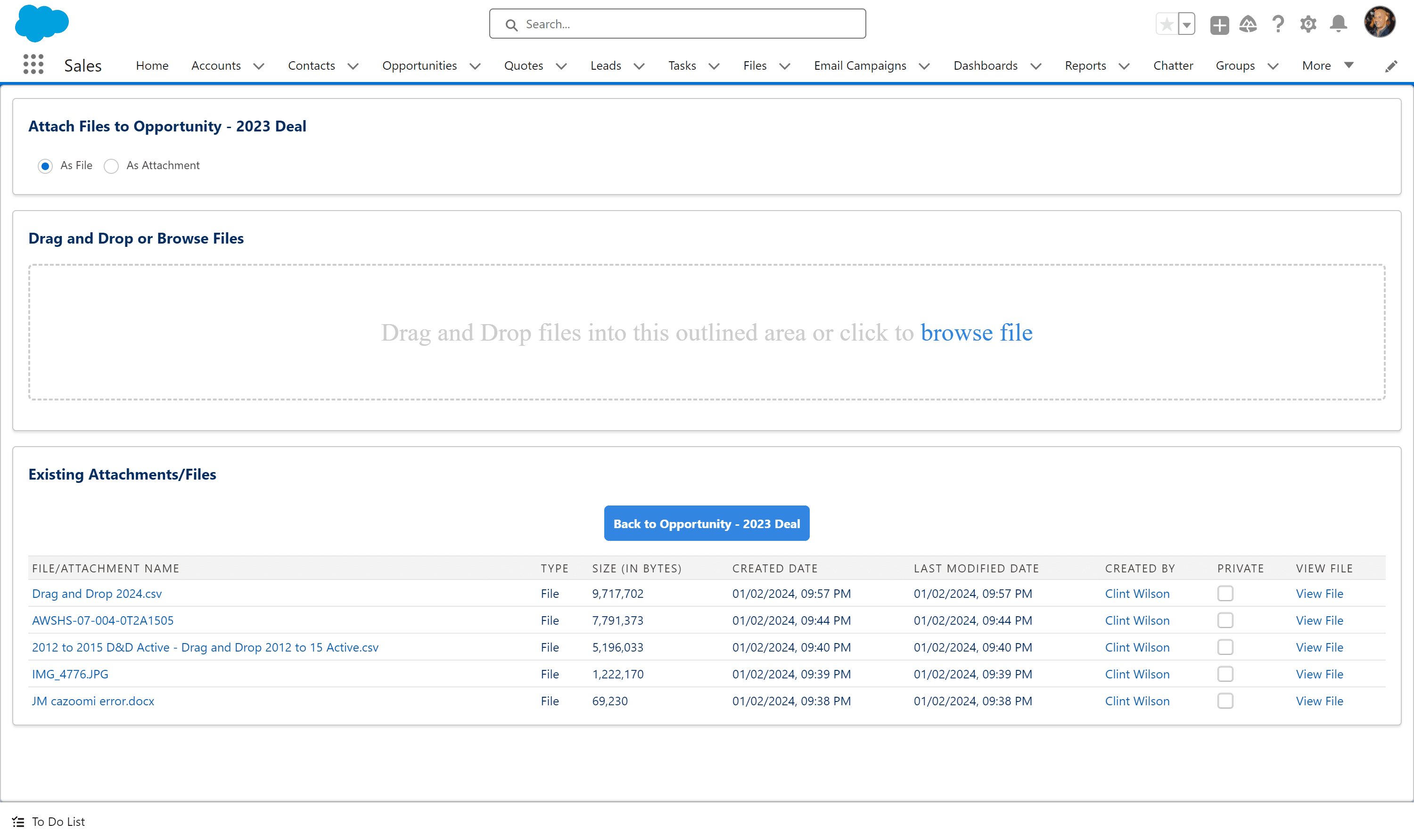
Image 1 of 7
Pricing
Paid, from $49.99 per company per month.
| Plan | Price | Billed | Free trial |
|---|---|---|---|
| Drag and Drop Monthly Plan | $49.99 per company | Monthly | 28 days |
| Drag and Drop Yearly Plan | $599.88 per company | Yearly | 28 days |
| Drag and Drop Enterprise Monthly Plan | $199.99 per subsidiaries and 5 calls a year included | Monthly | 28 days |
| Drag and Drop Enterprise Yearly Plan | $2,399.88 per subsidiaries and 5 calls a year included | Yearly | 28 days |
| Salesforce OEM Drag and Drop Partner Plan | $399.99 per unlimited customers | Monthly | 28 days |
| Salesforce OEM Drag and Drop Partner Plan | $4,799.88 per unlimited customers | Yearly | 28 days |
| Drag and Drop Forever Plan | $4,999.99 per company | One time | 28 days |
We provide a 25% discount on annual subscriptions for Nonprofits, Education, Medicine, and Governmental Institutions. PO, Invoice, and GSA processes are supported. For Drag and Drop installation, please contact support@cazoomi.com.
The publisher offers discounts.
Compatibility
- Works with
- Sales Cloud
- Requires
- Sales Cloud
- Salesforce editions
- Professional
- Enterprise
- Unlimited
- Performance
- Developer
- Lightning Experience
- Supported
- Salesforce mobile app
- Not supported
- Salesforce security review
- Passed on July 21, 2021
- Industries
- Financial Services
- Healthcare & Life Sciences
- High Tech
- Languages
- English
More Agent Productivity apps
The most reviewed Agent Productivity apps on the AppExchange, to compare before you choose.