FOLDERIZE™
Folder Structure for Salesforce Files and Attachments – Native App
By MK Partners, Inc.Document Management
- Rating
- 4.5
- Reviews
- 32
- Pricing
- Free
- Paid plans from $4.99 per user per month
- Listed since
- 2014
About FOLDERIZE™
Document File System Native App for Salesforce
Folderize provides an alternative to the Salesforce Files tab and record attachments. It offers a hierarchical folder/subfolder structure for organizing documents.
Folderize has two modes:
(1) Original mode. A new tab provides a repository to set up folders and puts documents in them. Users may browse, search, and download from that page. Folder access may be controlled by sharing settings. Edit or read-only permissions may be set.
(2) Object-record mode. A frame or button on object pages (such as Account or Opportunity) provides a folder structure containing documents related to the record.
Both modes are available for Salesforce Classic, Lightning Experience, Mobile, and Communities.
The Folderize Replicator utility enables importing folder structures with files from a server, PC or SharePoint.
Files are stored in Salesforce.
Highlights
- Folderize provides traditional file-system style browsing and organizing, for documents stored within Salesforce. No external resource/integration required. Allows unlimited folders. Allows hierarchies of unlimited levels.
- Use folders for object records. Or create a separate collection. Folderize may supplement or replace the Files/Content/Libraries tabs. Add existing documents to folders, or drag-drop new files. Full-text search within app. Lightning/mobile ready.
- Admin friendly! Bulk upload folders from server/PC/SharePoint. Bulk download folders/subfolders. Use standard Salesforce sharing settings to control folder/document access. Developers may manage documents by custom app.
Screenshots
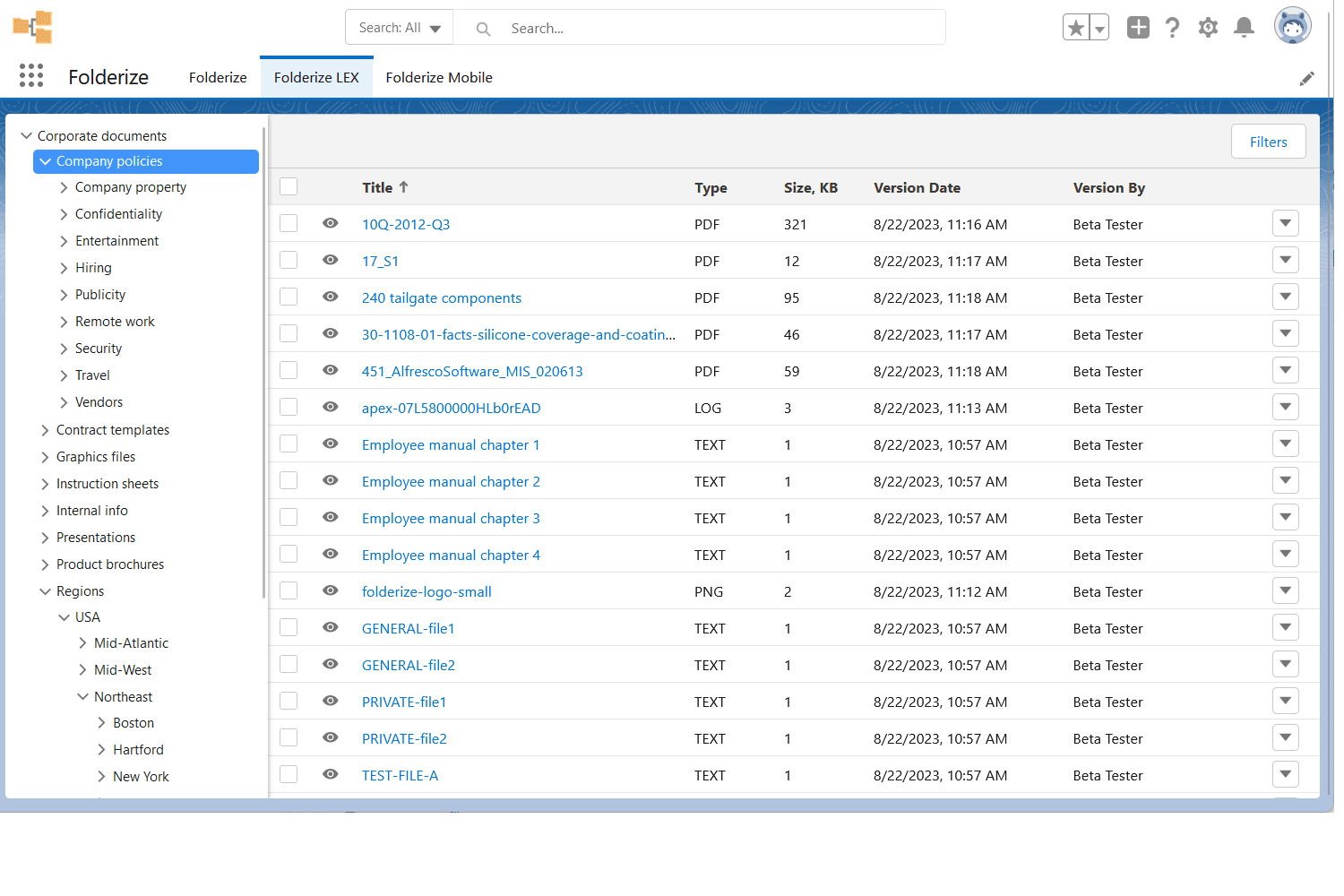
Image 1 of 12
Pricing
Free, paid plans from $4.99 per user per month.
| Plan | Price | Billed | Free trial |
|---|---|---|---|
| Full Speed Edition | $4.99 per user | Monthly | 14 days |
We can convert a free account to unlimited with just a license modification; files and folders from the free edition will carry over. 10-user minimum license purchase.
The publisher offers discounts.
Compatibility
- Works with
- Sales Cloud
- Service Cloud
- Experience Cloud
- Salesforce editions
- Professional
- Enterprise
- Unlimited
- Performance
- Developer
- Salesforce Platform
- Lightning Experience
- Supported
- Salesforce mobile app
- Supported
- Salesforce security review
- Passed on January 7, 2022
- Industries
- Horizontal Product
- Languages
- English
More Document Management apps
The most reviewed Document Management apps on the AppExchange, to compare before you choose.