Documill for Office
Save & Update Documents from Microsoft 365 to Salesforce
By DocumillDocument Management
- Rating
- 4.8
- Reviews
- 11
- Pricing
- Free
- With paid plans
- Listed since
- 2013
About Documill for Office
Salesforce – Office integration for better document management
Start using Documill for Office add-in in 3 simple steps:
1- Open your local Excel, Word, or PowerPoint file. 2- Edit it. 3- Save it back to Salesforce with a single click, directly from the document.
With Documill for Office, easily manage the latest versions of your Excel, Word, and PowerPoint documents in Salesforce. Say goodbye to manual uploads after every edit!
For a powerful document generation solution, combine the Documill for Office add-in with Documill Dynamo, listed at the bottom of this page. This seamless solution enables the creation of documents with dynamic Salesforce data in a single click, accelerates editing with a drag-and-drop clause library, and ensures the latest version of your documents is saved to the correct Salesforce records.
Highlights
- - Free for up to 5 users - Easy-to-install Microsoft Office extension - Work seamlessly with Windows (Microsoft Office desktop and Office 365), Mac OS
- - Instantly save & update Excel, Word and PowerPoint files to Salesforce with one click, right inside Microsoft Office - Save and update existing files, as well as saving documents as new files - Easily convert Office documents to PDF while saving
- - Accelerate document authoring with a pre-approved Word content library, organizable via categories. - Search for clauses in clause library and add them into your document with one click, while editing.
- - Convert any Word document into a template populated with Salesforce data using Documill Dynamo. - Automatically update and save generated documents to the relevant Salesforce record, eliminating manual uploads and version management.
Screenshots and videos
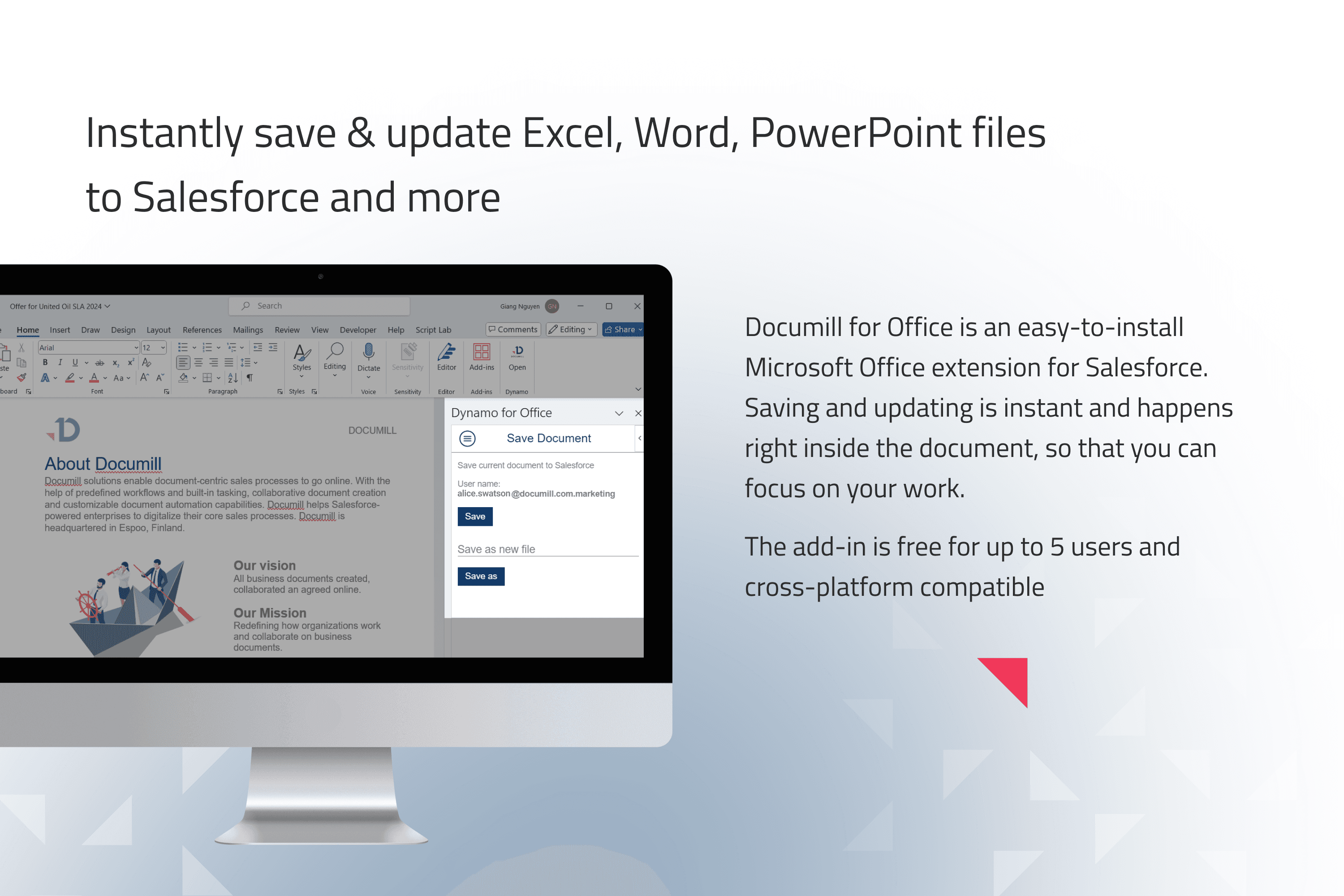
Image 1 of 7
Pricing
Free, with paid plans.
Compatibility
- Works with
- Sales Cloud
- Service Cloud
- Platform Cloud
- Requires
- Sales Cloud
- Salesforce editions
- Professional
- Enterprise
- Unlimited
- Performance
- Developer
- Salesforce Platform
- Lightning Experience
- Supported
- Salesforce mobile app
- Not supported
- Salesforce security review
- Passed on July 30, 2013
- Industries
- Communications
- Manufacturing
- Professional Services
- Languages
- English
More Document Management apps
The most reviewed Document Management apps on the AppExchange, to compare before you choose.