My Items to Approve
Advanced Approvals for Salesforce CPQ
By DoubleTrackProductivity
- Rating
- 5.0
- Reviews
- 5
- Pricing
- Free
- Listed since
- 2019
About My Items to Approve
Consolidated Advanced Approvals List View for Salesforce CPQ
Advanced Approvals and Salesforce CPQ are a powerful combination, but out-of-the-box there is no easy way to review and take action on a full list of approvals that are assigned to you or a group of which you are a member. This Lightning Component offers you a consolidated, actionable list view from any Lightning Page that makes reviewing--and clearing--your "Items to Approve" queue as simple as logging in.
UPDATES: Version 1.5.0 | July 30, 2020 (Summer '20): Minor patch to filter out Approval records where sbaa__Archived__c is TRUE.
Highlights
- View all Approvals assigned to your User or any Group of which you are a member
- Take action--Approve, Reject, or Reassign right from the homepage
- Add the component to the Salesforce mobile app or any Lightning Page
Screenshots
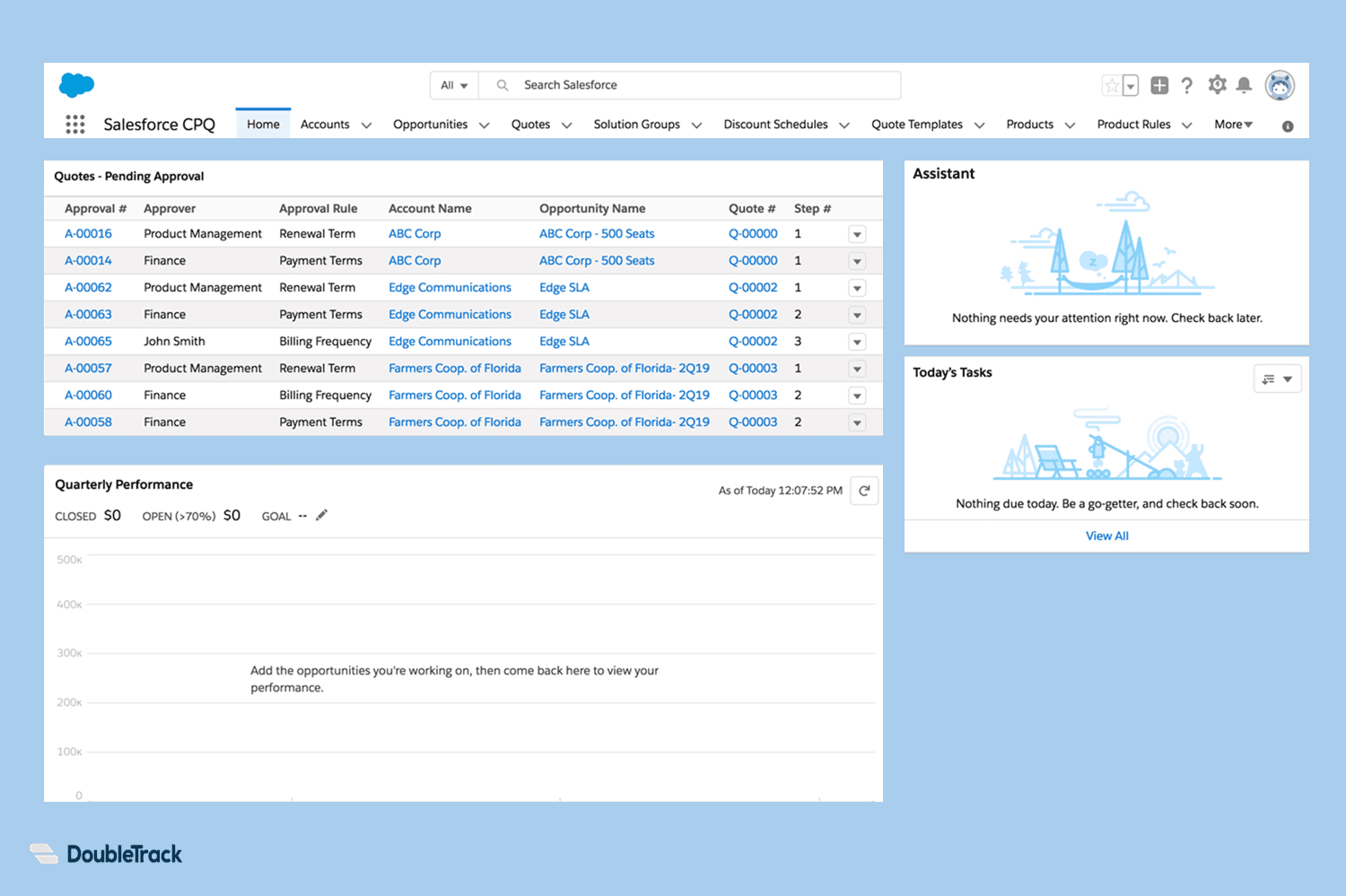
Image 1 of 2
Pricing
Free.
Compatibility
- Works with
- Sales Cloud
- Revenue Cloud CPQ
- Revenue Cloud Billing
- Requires
- Revenue Cloud CPQ
- Salesforce editions
- Professional
- Enterprise
- Unlimited
- Performance
- Developer
- Salesforce Platform
- Lightning Experience
- Supported
- Salesforce mobile app
- Supported
- Salesforce security review
- Passed on June 17, 2019
- Languages
- English
More Productivity apps
The most reviewed Productivity apps on the AppExchange, to compare before you choose.