Satrang Drag, Drop & Upload Files to Amazon S3 (Backup Files)
By Satrang TechnologiesAdmin & Developer Tools
- Rating
- 4.9
- Reviews
- 42
- Pricing
- Paid
- From $120 per user per year
- Listed since
- 2014
About Satrang Drag, Drop & Upload Files to Amazon S3 (Backup Files)
Drag & drop Salesforce files to Amazon S3 – No size limits, auto-link, 5★
Tired of hitting file size limits or dealing with clunky upload tools? This 100% native Salesforce app solves it all.
🚀 Drag & drop uploads straight from your desktop to Amazon S3, no size limits, no external servers, and no need to leave Salesforce.
🔗 Uploaded files are automatically linked to Salesforce records.
📋 Collect custom metadata like tags, descriptions, categories, or business context during upload.
🔁 Delete files in Salesforce, and they’re removed from S3, plus built-in versioning ensures nothing is lost.
⚡ Choose between real-time or batch migration for flexibility.
🧩 Easily embed the Lightning Web Component (LWC) uploader on any Lightning page.
🔍 Use lookup fields to associate S3 files with any object for fully connected data.
💾 Perfect for backup, compliance, document management, or storage offloading, especially for large media or audit-sensitive content.
🛡️ Aloha-approved and built fully on Force.com—your data never leaves your trusted environment.
This secure, Force.com native solution keeps your files private, organized, and always accessible from Salesforce.
🔗 Product Website: https://satrangtech.com/salesforce-amazon-s3-upload/
Highlights
- Drag & Drop Any-Size Files from Salesforce to Amazon S3 - No Upload Limits, No Tab Switching No file size limits, no switching tabs. A fast, seamless upload experience that users love and admins trust. Perfect for backups, records, and more.
- Automatic Record Linking - S3 Files Instantly Connected to Salesforce Records Maintain full context across your org without manual steps. Just upload, and the system handles the rest—simple, automatic, and always accurate.
- Capture Custom Metadata (Tags, Descriptions, Categories) During Every S3 Upload Improve data quality, searchability, and reporting—without external tools or complex workflows. Smart uploads, simplified.
- Embed the LWC S3 Uploader on Any Salesforce Lightning Page - Native, No-Code Setup Streamline document management across departments with a native experience that’s intuitive, fast, and admin-friendly.
- Real-Time or Scheduled Batch Migration to Amazon S3 - Flexible, Compliance-Ready. Whether it’s instant upload or nightly sync, you’re in control. This flexibility supports compliance, retention, and business continuity strategies.
- Auto-Sync Deletions & Built-In Versioning - Keep Salesforce and S3 in Perfect Sync Built-in versioning ensures no file is lost, so you stay in sync across platforms while protecting critical data.
- Link Amazon S3 Files to Any Salesforce Object via Lookup Fields - HR, Legal, IT & More Make files discoverable and relevant across use cases—HR, legal, IT, and more. A smarter way to organize your cloud-based documents.
- 100% Force.com Native - Direct Salesforce-to-S3 Transfer, No External Servers or Middleware All data transfers stay between your org and Amazon S3, ensuring full control, privacy, and enterprise-grade security. 100% Aloha app.
- 📚 Knowledge Base: https://satrangtech.com/salesforce-amazon-s3-upload/ 🎥 Watch the Demo: http://bit.ly/476tkfF 📅 Book a Meeting: https://bit.ly/3D6630a 💳 Buy Now: https://bit.ly/3IWDrZT 🎥 Pricing Info Demo: http://bit.ly/4n99jeG
Screenshots and videos
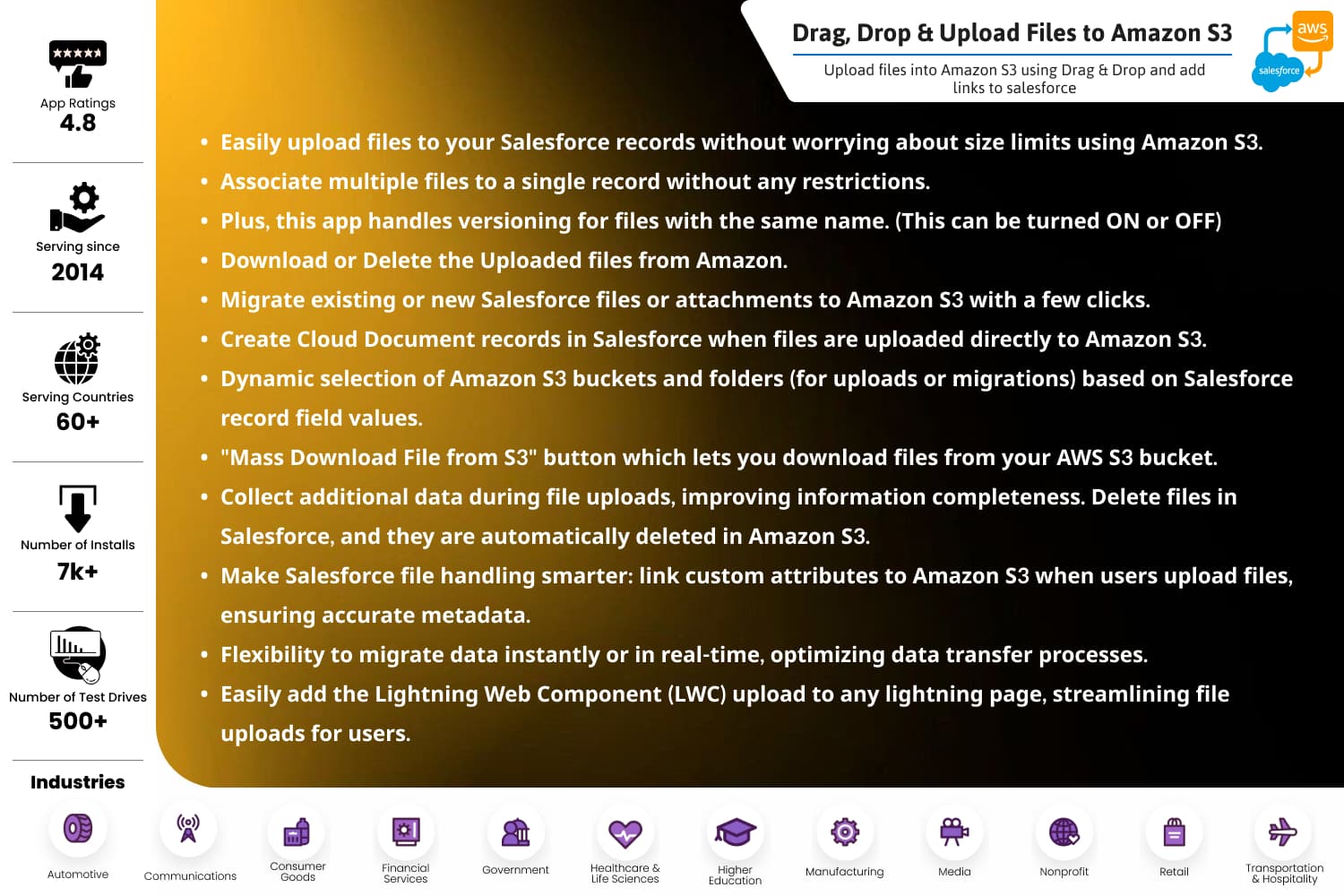
Image 1 of 21
Pricing
Paid, from $120 per user per year.
| Plan | Price | Billed | Free trial |
|---|---|---|---|
| Standard App | $120 per user | Yearly | 5 days |
| Migrate Existing Salesforce Files or Attachments to Amazon S3 (Up to 1 TB) | $6,000 per company | Yearly | 5 days |
| Auto Migrate New Salesforce Files or Attachments to Amazon S3 in Real Time | $3,000 per company | Yearly | 5 days |
| Amazon S3 to Salesforce Sync | $3,000 per company | Yearly | 5 days |
| Update Salesforce Field Values While Uploading Files or Attachments to Amazon S3 | $40 per user | Yearly | 5 days |
| Upload Salesforce Files or Attachments to Amazon S3 with Custom Metadata Mapping | $40 per user | Yearly | 5 days |
| Map Salesforce Record Field Values to Amazon S3 Bucket or Folder Selection | $40 per user | Yearly | 5 days |
| Mass Download Files from Amazon S3 via Salesforce | $40 per user | Yearly | 5 days |
💲Base (Minimum) Cost: $ 600/5 users/year. Additional license: $120/year. We offer tiered pricing. 💳 Pricing Info: https://satrangtech.com/salesforce-amazon-s3-upload/ 📅 Book Demo Call: https://calendly.com/purvisharma/30min
The publisher offers discounts.
Compatibility
- Works with
- Experience Cloud
- Government Cloud
- Nonprofit Cloud
- Requires
- Platform Cloud
- Salesforce editions
- Essentials
- Professional
- Enterprise
- Unlimited
- Performance
- Developer
- Lightning Experience
- Supported
- Salesforce mobile app
- Supported
- Salesforce security review
- Passed on June 1, 2021
- Industries
- Horizontal Product
- Financial Services
- Professional Services
- Languages
- Dutch
- English
- Finnish
- French
- German
- Danish
- Italian
- Japanese
- Korean
- Portuguese
- Russian
- Chinese (China)
- Spanish
- Swedish
- Thai
- Chinese (Taiwan)
More Admin & Developer Tools apps
The most reviewed Admin & Developer Tools apps on the AppExchange, to compare before you choose.