Report to PDF
By Dewwow LLCAdmin & Developer Tools
- Rating
- Not rated yet
- Reviews
- No reviews yet
- Pricing
- Paid
- From $5 per company per month
- Listed since
- 2023
About Report to PDF
Export any report as a branded PDF in one click
Convert any report into a professionally formatted PDF document. Select from your existing reports - no need to rebuild report definitions in another tool.
Supported report types:
- Tabular reports
- Summary reports (up to 3 grouping levels)
- Matrix reports (row and column groupings)
Features:
- Add your company logo at the top of each PDF
- Choose landscape or portrait orientation
- Show or hide detail rows
- Optional footer with report name
Simply select a report, choose your options, and download. Works with any report you have access to.
Highlights
- 1. Tabular, Summary, and Matrix reports 2. Custom company logo 3. Landscape or portrait orientation 4. Up to 3 levels of groupings 5. Optional detail rows 6. One-click PDF download 7. Works with existing reports 8. Professional formatting
Screenshots and videos
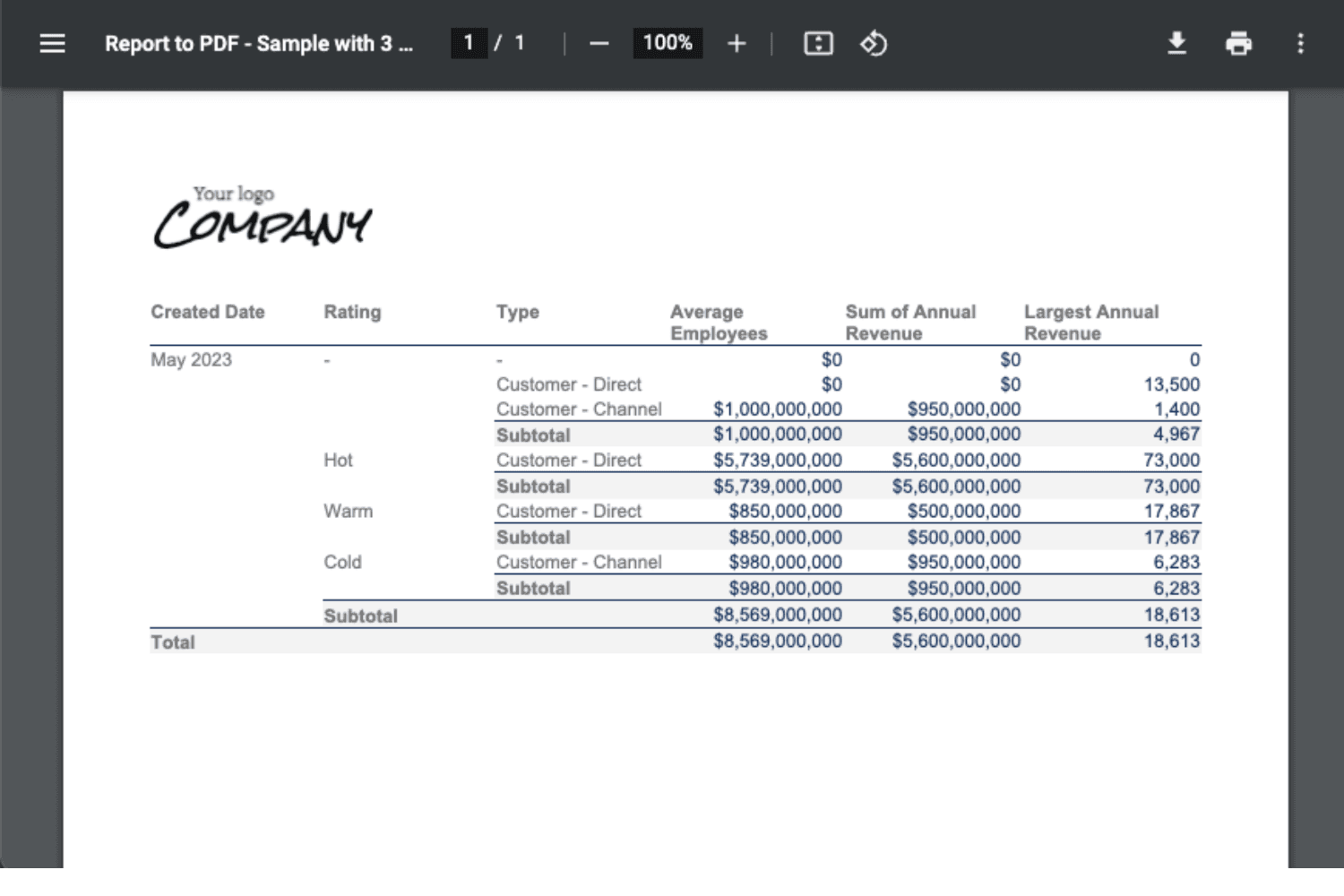
Image 1 of 3
Pricing
Paid, from $5 per company per month.
| Plan | Price | Billed |
|---|---|---|
| Monthly | $5 per company | Monthly |
| Yearly | $49 per company | Yearly |
| One-Time | $149 per company | One time |
One-Time subscribers get priority for new feature requests. 10% discount for nonprofit and ngo.
The publisher offers discounts.
Compatibility
- Works with
- Sales Cloud
- Service Cloud
- Platform Cloud
- Requires
- Sales Cloud
- Salesforce editions
- Enterprise
- Unlimited
- Performance
- Developer
- Lightning Experience
- Supported
- Salesforce mobile app
- Not supported
- Salesforce security review
- Passed on June 4, 2023
- Industries
- Financial Services
- Manufacturing
- Professional Services
- Languages
- English
More Admin & Developer Tools apps
The most reviewed Admin & Developer Tools apps on the AppExchange, to compare before you choose.