Vonage Business Communications (VBC) ContactPad
By Vonage
- Rating
- 2.0
- Reviews
- 5
- Pricing
- Free
- Listed since
- 2021
About Vonage Business Communications (VBC) ContactPad
Flexibility Without the Complexity
For installation instructions, visit the link to the VBC ContactPad support page - https://businesssupport.vonage.com/articles/answer/VBC-ContactPad
Available features for Vonage ContactPad include:
Automated call logging & call note taking: Auto-log incoming & outgoing calls while in Salesforce and capture notes in call activities while on the Contact record.
Embedded Salesforce ContactPad: Keep the dial pad at your employees’ fingertips without toggling between screens.
Click-to-connect: Click-to-dial or answer any phone number appearing in Salesforce through the embedded Vonage Business Communications dial pad, & tie the call record to the right contact in Salesforce.
Incoming/outbound screen pops with call status: View contact information in real-time for a personalized conversation.
For advanced features, listed below, inquire about the Vonage Integration Suite
Click to text/ SMS logging Embedded Call Recording Player Activity Logging (Advanced) Customizable Object Interaction
Highlights
- VBC ContactPad, powered by Vonage Integration Platform, seamlessly brings both voice and data into the key sales, customer service, and business productivity applications that your employees use every day.
- Empower your employees, elevate your customer experience, and boost your bottom line by integrating your cloud phone system with the Salesforce data you rely on to run your business.
- For advanced contact management services, greater call control and note-taking features, and customizable tools, try the Vonage Integration Suite. Learn more about it here: https://businesssupport.vonage.com/articles/answer/Vonage-Integration-Suite
Screenshots and videos
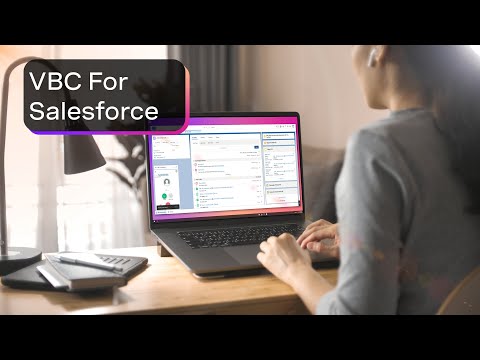
Video 1 of 3
Pricing
Free.
Compatibility
- Works with
- Sales Cloud
- Requires
- Service Cloud
- Salesforce editions
- Enterprise
- Unlimited
- Performance
- Developer
- Salesforce Platform
- Lightning Experience
- Supported
- Salesforce mobile app
- Not supported
- Salesforce security review
- Passed on February 19, 2021
- Languages
- English