Smarter Files
Salesforce File Manager: Mass ZIP Download & Access Control
By Tucario
- Rating
- 5.0
- Reviews
- 2
- Pricing
- Free
- Listed since
- 2026
About Smarter Files
Mass download files and attachments to ZIP. Plus role-based access.
The standard Files related list wasn't built for real work. It can't mass download, it can't stop the wrong file type, and it can't keep a document away from the wrong person.
Smarter Files replaces it with a native Lightning Web Component for any standard or custom object — Opportunity, Case, Account or your own.
- Mass Download to ZIP — every file and attachment on the record as one archive • Upload Restrictions — allowed and excluded file types, maximum size, per page • Visibility Controls — document categories with roles, filtered server-side • Private Documents — visible only to the owner and authorized users • Isolated Storage Mode — hide managed files from the standard Files related list • Public links, native preview, list and tile views, sorting • Configuration Wizard and Migration Tool — categories, roles, permission sets • Custom Labels — fully translatable UI
Runs on Platform Starter and Platform Plus — no Sales or Service Cloud required.
100% native: Apex and LWC only, no callouts, no data leaving your org. The core component is open source under the MIT license on GitHub. The AppExchange edition adds visibility controls, private documents and isolated storage.
Highlights
- MASS DOWNLOAD TO ZIP Download every file and attachment on a record as one archive, in one click. The standard Files related list makes users save each document individually — which is why nobody does it, and why files end up emailed around.
- ROLE-BASED VISIBILITY CONTROLS Define document categories and assign roles to them. Only permitted roles see files in a category, and the filtering happens server-side — not hidden in the UI while the record stays readable through the API.
- PRIVATE DOCUMENTS Mark any file as private so it stays visible only to its owner and explicitly authorized users. For the contract, the HR letter or the internal note that happens to live on a record everybody else can open.
- UPLOAD RESTRICTIONS Control which file types are allowed or blocked and set a maximum size — per Lightning page, not globally. Stop the 400 MB video and the executable before they reach your storage limit, not after.
- ISOLATED STORAGE MODE Hide managed files from the standard Files related list entirely, so there is one way in and one way out. Access control that a user cannot walk around by scrolling to the next related list.
- REPLACES THE STANDARD COMPONENT A native Lightning Web Component you drop onto any standard or custom object in Lightning App Builder — Opportunity, Case, Account or your own. List and tile views, sorting, native preview, public links.
- CONFIGURATION WIZARD AND MIGRATION Manage categories, role assignments and permission sets from a built-in admin UI. A migration tool brings files already sitting on your records under management, so you are not starting from an empty state.
- PLATFORM LICENSE IS ENOUGH Runs on Platform Starter and Platform Plus — no Sales Cloud or Service Cloud required. Fully translatable through Custom Labels, so the UI matches every language your org already runs in.
- 100% NATIVE AND OPEN SOURCE Apex and LWC only: no external services, no callouts, no data leaving your org. The core component is MIT-licensed on GitHub, and the AppExchange edition passed the Salesforce security review. Free, with no seat count.
Screenshots
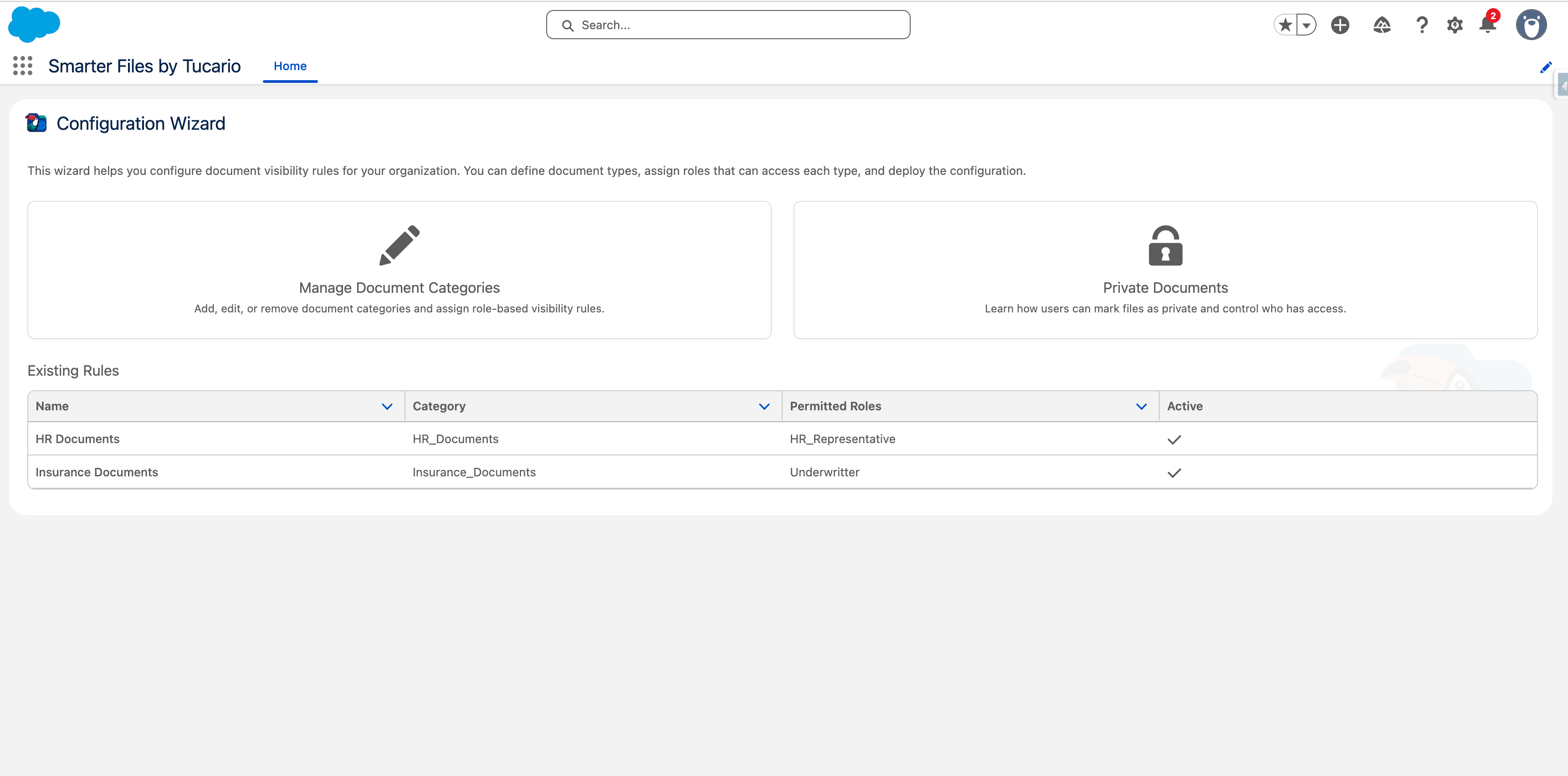
Image 1 of 4
Pricing
Free.
Compatibility
- Works with
- Sales Cloud
- Service Cloud
- B2B Commerce Cloud
- Salesforce editions
- Essentials
- Professional
- Enterprise
- Unlimited
- Performance
- Developer
- Lightning Experience
- Supported
- Salesforce mobile app
- Not supported
- Salesforce security review
- Passed on May 6, 2026
- Languages
- English