SmartBulk
Mass Update, Mass Delete & Bulk Editing for Any Salesforce Object
By CloudWithAbhi
- Rating
- 5.0
- Reviews
- 1
- Pricing
- Free
- Listed since
- 2026
About SmartBulk
Update, clean, and manage Salesforce data in bulk — fast, simple, and admin
SmartBulk is a powerful, metadata-driven mass update and mass delete tool built natively on the Salesforce Platform. Designed for admins and operations teams, SmartBulk makes it easy to fetch, edit, update, and delete records across any standard or custom object — all from a clean, Lightning-ready interface.
Using Custom Metadata configuration, admins can define which objects, fields, filters, and operations users can access. SmartBulk automatically handles field-type conversion, dynamic SOQL, bulk-safe DML, and detailed error logging so you can perform large-scale data updates with confidence.
Whether you’re preparing for a data migration, cleaning up records, updating values in bulk, or removing old data, SmartBulk saves hours of manual work and eliminates the need for spreadsheets or external tools.
BUSINESS FEATURES
Simplifies data maintenance for Sales, Service, and Operations teams
Reduces manual effort and improves CRM data quality
Enables fast data cleanup during migrations or org consolidation
Provides a safer alternative to Data Loader for non-technical users
TECHNICAL FEATURES
Lightning Web Component UI with real-time updates
Apex-powered backend with dynamic S
Highlights
- 1. Mass update & delete Bulk edit or remove records quickly. 2. Metadata-driven setup Admins control objects and fields. 3. Fast Lightning interface Clean, responsive LWC experience. 4. Supports many field types
Screenshots
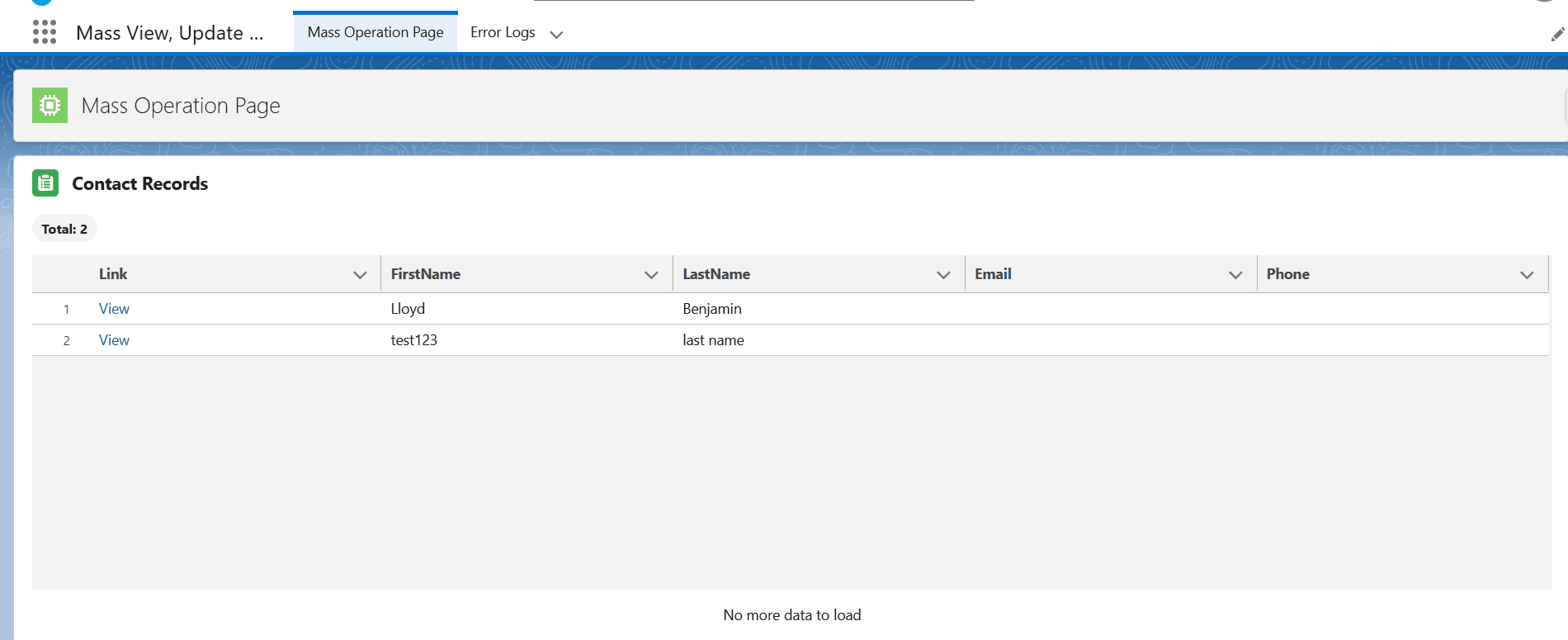
Image 1 of 5
Pricing
Free.
Compatibility
- Works with
- Sales Cloud
- Service Cloud
- Experience Cloud
- Salesforce editions
- Professional
- Enterprise
- Unlimited
- Performance
- Developer
- Lightning Experience
- Supported
- Salesforce mobile app
- Not supported
- Salesforce security review
- Passed on April 20, 2026
- Languages
- English