Permission Set Manager
By Synebo
- Rating
- Not rated yet
- Reviews
- No reviews yet
- Pricing
- Free
- Listed since
- 2024
About Permission Set Manager
Mass permission set assignment based on user filters, profile, group, queue
Manage Salesforce access with ease and control – using Synebo Permission Set Manager. Gain visibility into user assignments. Simplify repetitive tasks and ensure every member of your team has the permissions they require for their jobs.
- Effortless User Аssignments – Distribute permission sets to your multiple users at once, filtering them by profile, group, or queue to reach the right audience without considerable effort.
- Automated Оnboarding Support – Automatically assign permission sets to your new users grounded on their profile, group, or queue. Make sure your every user starts fully enabled.
- Flexible Creation and Duplication – Build new permission sets from scratch. Duplicate existing sets or copy settings from profiles to adapt when your company scales.
- Full View of Аll & Еvery Assignment – Track all assignments and automations – in one place. It’s now painless to review, manage, and audit permissions.
- Configurable Automations – Set automated rules for future assignments. It ensures your access management keeps pace with your team.
Highlights
- Streamline Permission-Set Oversight in Minutes – Handle the entire lifecycle of permission sets inside Salesforce with an interface that keeps everything close at hand. No tab hopping – simply choose, assign, and move forward.
- Assign to Many Users at Once Without Significant Effort – Filter your users by role criteria and distribute permission sets for large groups – in one sweep. Profiles, public groups, and queues become reliable pathways for rapid assignments.
- Keep Newcomers Instantly Equipped – Set up automation that places every new user with a defined profile, group, or queue into the correct permission set the moment they appear in your org.
- Reshape Access Structures with Flexible Tools – Duplicate permission sets, convert profiles into permission sets, or build new ones whenever your processes shift. Your access model stays structured, flexible, and easy to manage.
- Bring Every Management Task Under One Roof – Review, adjust, compare, and extend permission sets without wandering through multiple admin pages. The tool gathers your access-related actions into a single, organized workspace.
Screenshots
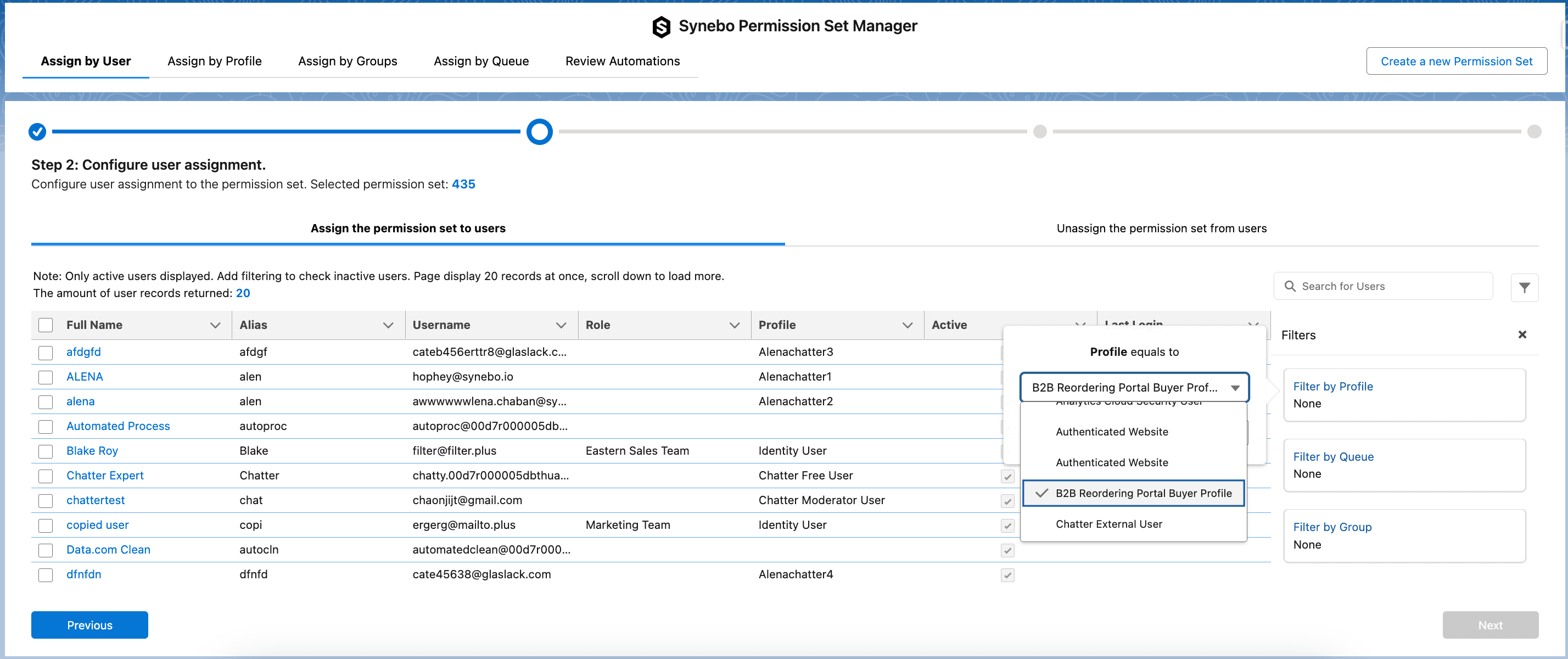
Image 1 of 4
Pricing
Free.
Compatibility
- Works with
- Service Cloud
- Requires
- Service Cloud
- Salesforce editions
- Essentials
- Professional
- Enterprise
- Unlimited
- Performance
- Developer
- Lightning Experience
- Supported
- Salesforce mobile app
- Not supported
- Salesforce security review
- Passed on October 14, 2024
- Industries
- High Tech
- Media & Entertainment
- Professional Services
- Languages
- English