One-Click File Manager
By (주)뉴브릭 ( Newbrick co., Ltd)
- Rating
- 5.0
- Reviews
- 2
- Pricing
- Free
- Listed since
- 2026
About One-Click File Manager
Bulk download, delete, zip, unzip, and control private files in one place.
Standard Salesforce Files is powerful, but not optimized for bulk work or mobile cleanup. Users often need many clicks or even a desktop just to download or delete multiple files.
File Manager adds a simple, one-page file console on each record. Users can quickly see all related files, bulk download or delete, zip and unzip, and switch files between public and private using their existing Salesforce permissions.
All actions run inside Salesforce, with no external servers or callouts, and the app fully respects your current sharing and security model – making it a safe productivity boost for sales, service, and operations teams.
Highlights
- See all related files at a glance on any record, on desktop or mobile.
- One-click upload, download, ZIP export, ZIP extract, and mass delete.
- Simple security: toggle file visibility and actions based on your existing Salesforce file permissions.
- Respects your current sharing model – the app does not grant any extra access.
- Multi-language support: English, Korean, Japanese, Traditional Chinese.
Screenshots
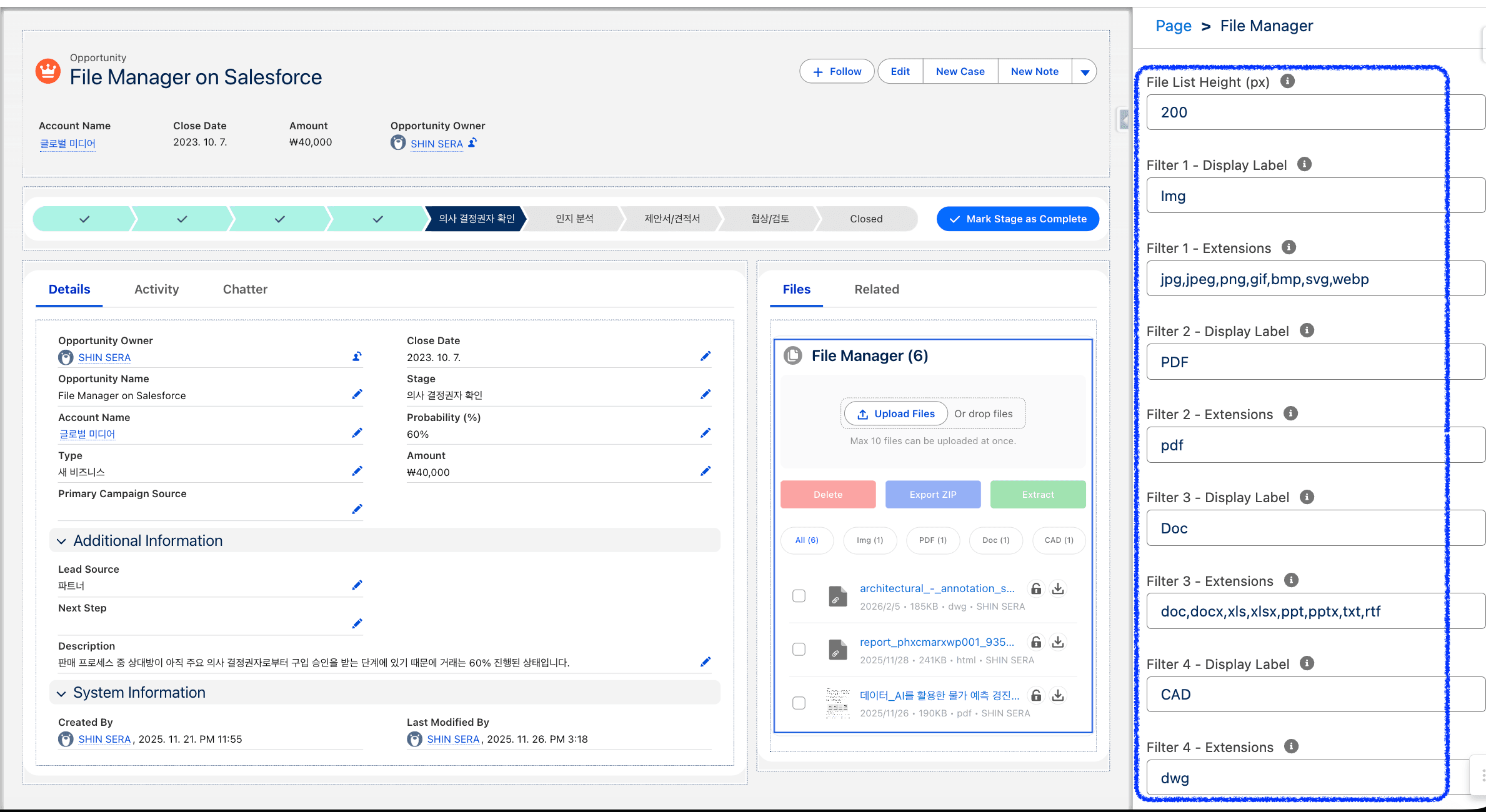
Image 1 of 8
Pricing
Free.
Compatibility
- Works with
- Sales Cloud
- Service Cloud
- Platform Cloud
- Salesforce editions
- Essentials
- Professional
- Enterprise
- Unlimited
- Performance
- Developer
- Lightning Experience
- Supported
- Salesforce mobile app
- Supported
- Salesforce security review
- Passed on December 29, 2025
- Industries
- Horizontal Product
- Languages
- English
- Japanese
- Korean
- Chinese (Taiwan)