Media Manager
File Preview, Sharing, and Management in Salesforce
By Softsquare
- Rating
- 4.5
- Reviews
- 4
- Pricing
- Free
- Paid plans from $5 per user per month
- Listed since
- 2021
About Media Manager
Simplify File Management
Media Manager is an easy-to-use Salesforce component that lets you preview and manage images, audio, videos, documents, and other files in one place. It is ideal for users dealing with daily tasks involving multiple files and attachments from different objects. Categorize your files for easy access and boost productivity with features designed to save time.
- Built-in viewer modes such as Slider View, ListView, and Tile View.
- Edit images directly: crop, compress, rotate, zoom, and undo edits.
- Quick file sharing to people and groups for better collaboration.
- Display files from a related object.
- Track versions and set the primary version for easy access.
- Global Search bar to search files you want to view.
- Categorize your media files by File Type and allow easy access.
- Public link access to view and download files directly to your devices.
- Simple options to upload and compress files during upload to save storage.
- Seamless experience on mobile and iPad devices.
Highlights
- File Preview - Tile, list and Slider view • Preview 15+ file types from Salesforce records, including PDFs, Excel, images, videos, HEIC, and MOV • Use List View, Tile View, and Slider View • Open files without extra download or navigation
- Manage Files from any Views • Search, filter, sort, and refresh files from List View • Update file details and object fields with inline editing • Edit multiple rows and review inline errors before saving
- Custom Folders and Grouping • Organize files into custom folders and nested folder structures • Group content by useful file details for easier review • Keep high-volume record files cleaner and easier to browse
- View Related Files • Browse files in a clear hierarchy from the record page with file tree • View current, parent, child, and related record files in one tree • Make connected record files easier to follow
- Connect amazon S3 files • Connect external repositories while files stay outside Salesforce • Start with Amazon S3 and map folders to objects and records • Manage large file volumes without changing the user experience
- Actions and Image Editing • Upload, bulk upload, download, rename, move, and delete files • Crop, rotate, flip, adjust, and compress images in Salesforce • Upload new versions and run row, list, custom, and Flow actions
- FileMate for Agentforce • Ask questions about files and get useful answers • Summarize, extract, translate, and process file content • Turn documents into faster user actions
- File Browser Workspace • Search and browse files across configured Salesforce records • Apply filters, preview details, and open files in the right context • Reuse the right file without switching between pages
- Community and Device Access • Use Media Manager in Salesforce apps and Experience Cloud portals • Give desktop, tablet, and mobile users a consistent file experience • Support internal teams and external users
Screenshots
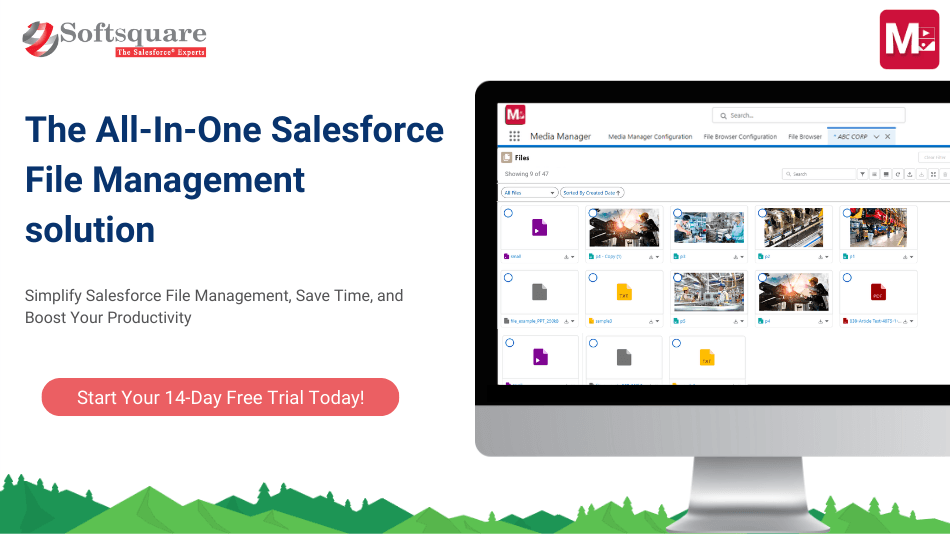
Image 1 of 16
Pricing
Free, paid plans from $5 per user per month.
| Plan | Price | Billed | Free trial |
|---|---|---|---|
| Standard User License | $5 per user | Monthly | 14 days |
Community users pack starting at $50 per 100 users. Non-profit discount available. Minimum contract value: $600 per year 10% off 2-year, 20% off 3-year contracts when paid in full.
The publisher offers discounts.
Compatibility
- Works with
- Sales Cloud
- Service Cloud
- Experience Cloud
- Salesforce editions
- Professional
- Enterprise
- Unlimited
- Performance
- Developer
- Salesforce Platform
- Lightning Experience
- Supported
- Salesforce mobile app
- Supported
- Salesforce security review
- Passed on April 29, 2021
- Industries
- Horizontal Product
- Languages
- English