Lightning Pricebook Editor
By Salesforce Labs
- Rating
- 3.0
- Reviews
- 2
- Pricing
- Free
- Listed since
- 2025
About Lightning Pricebook Editor
Bulk edit all Pricebook Entries in Lightning like Classic's "Edit All"
Transform Your Pricing Workflow in Lightning Experience: Lightning Experience forces users to edit pricebook entries one-by-one, unlike Classic's convenient "Edit All" button. This creates time-consuming workflows and forces sales teams to switch back to Classic for pricing tasks.
Our Solution: Lightning Pricebook Editor brings back bulk editing functionality with a powerful component that displays all pricebooks in a single grid with inline editing. Edit all prices at once, compare across currencies, and save with one click.
Key Benefits: Reduce pricing update time by 75% View and compare all prices in one table Multi-currency support with automatic detection Lightning-native with responsive design Respects security and field-level permissions Quick Action integration on Product pages
Perfect For: Sales Operations, Product Managers, and organizations with complex pricing structures or high-volume catalogs.
Technical: Supports Professional (with API), Enterprise, Unlimited, and Developer editions. Simple managed package installation.
Stop switching to Classic for pricing tasks - keep your team in Lightning with efficient bulk price editing.
Highlights
- Productivity Booster: - Edit all pricebook entries in one view - Reduce pricing update time by up to 75% - Eliminate repetitive clicking and page navigation
- Lightning-Native: - Built specifically for Lightning Experience - No need to switch to Classic for pricing tasks - Seamless integration with modern Salesforce UI
- Multi-Currency Ready: - Automatic detection of multi-currency orgs - Proper currency formatting and display - Support for complex international pricing
- Enterprise Security: - Respects field-level security settings - Honors user permissions and CRUD access - Secure, managed package installation
- Easy Implementation: - Simple Quick Action placement - No complex configuration required - Works out-of-the-box after installation
- User-Friendly: - Intuitive inline editing - Real-time validation and feedback - Familiar spreadsheet-like interface
- Better Decision Making: - Side-by-side price comparison - Complete visibility of all pricing tiers - Enhanced pricing strategy insights
Screenshots
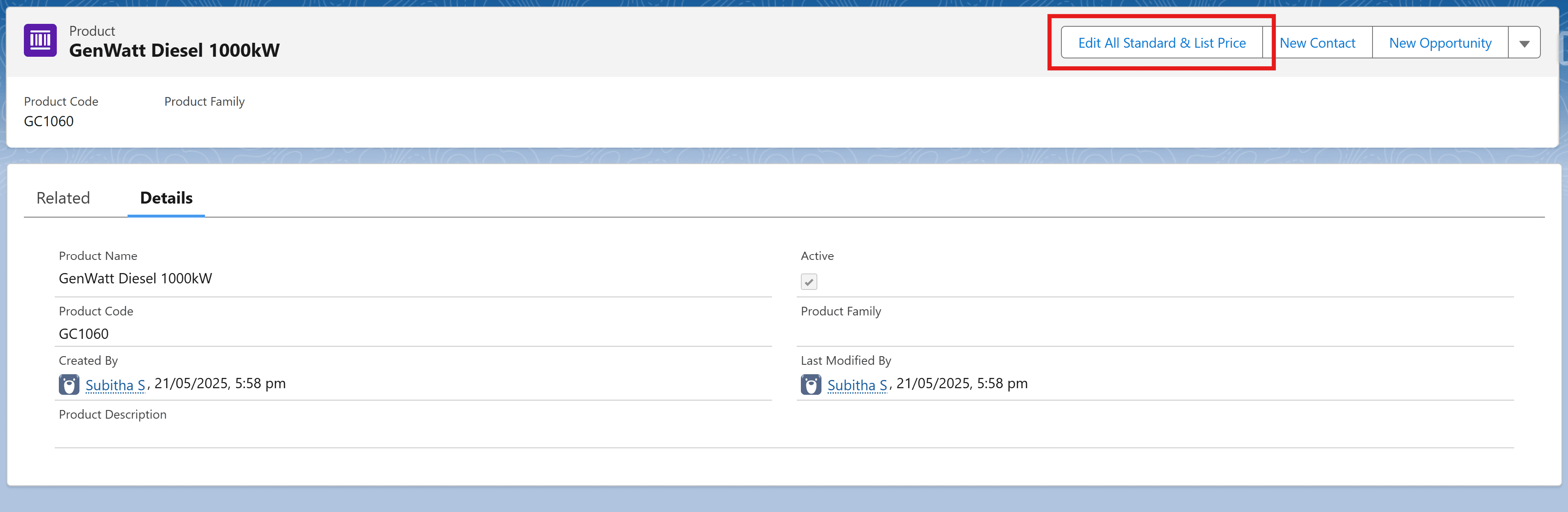
Image 1 of 6
Pricing
Free.
Compatibility
- Requires
- Platform Cloud
- Lightning Experience
- Supported
- Salesforce mobile app
- Not supported
- Salesforce security review
- Passed on October 29, 2025
- Languages
- English