Enhanced Files
Customize Your Salesforce Files Related List
By InnovAgents LLC
- Rating
- 4.0
- Reviews
- 7
- Pricing
- Free
- Listed since
- 2024
About Enhanced Files
Find, filter, select, and download Salesforce files fast.
The Salesforce files related list is limited, no bulk download, no search, no way to see how many files a record actually has.
Enhanced Files upgrades it into something your team will actually use:
- Download every file on a record with one click, or select just the ones you need
- Filter by file type and sort by name, size, or date to find anything fast
- See the total file count at a glance
- Scroll through a clean, fast related list
- Configure the display, including component height, without writing any code
Installs in minutes. No dependencies, no setup headaches, completely free, the easiest way to make Salesforce file management better today.
Highlights
- Download multiple files in one click. Grab every file on a record at once, no more downloading them one by one.
- Filter by file type and sort your way. Narrow down instantly, then sort by name, size, or date to find anything fast.
- See your files at a glance. A file-count indicator and clean, scrollable list give you the full picture immediately.
- Built for admins. Configure the display, including component height, with simple point-and-click settings, no code required.
- Free and native. Installs in minutes with no dependencies and no cost, ever.
Screenshots
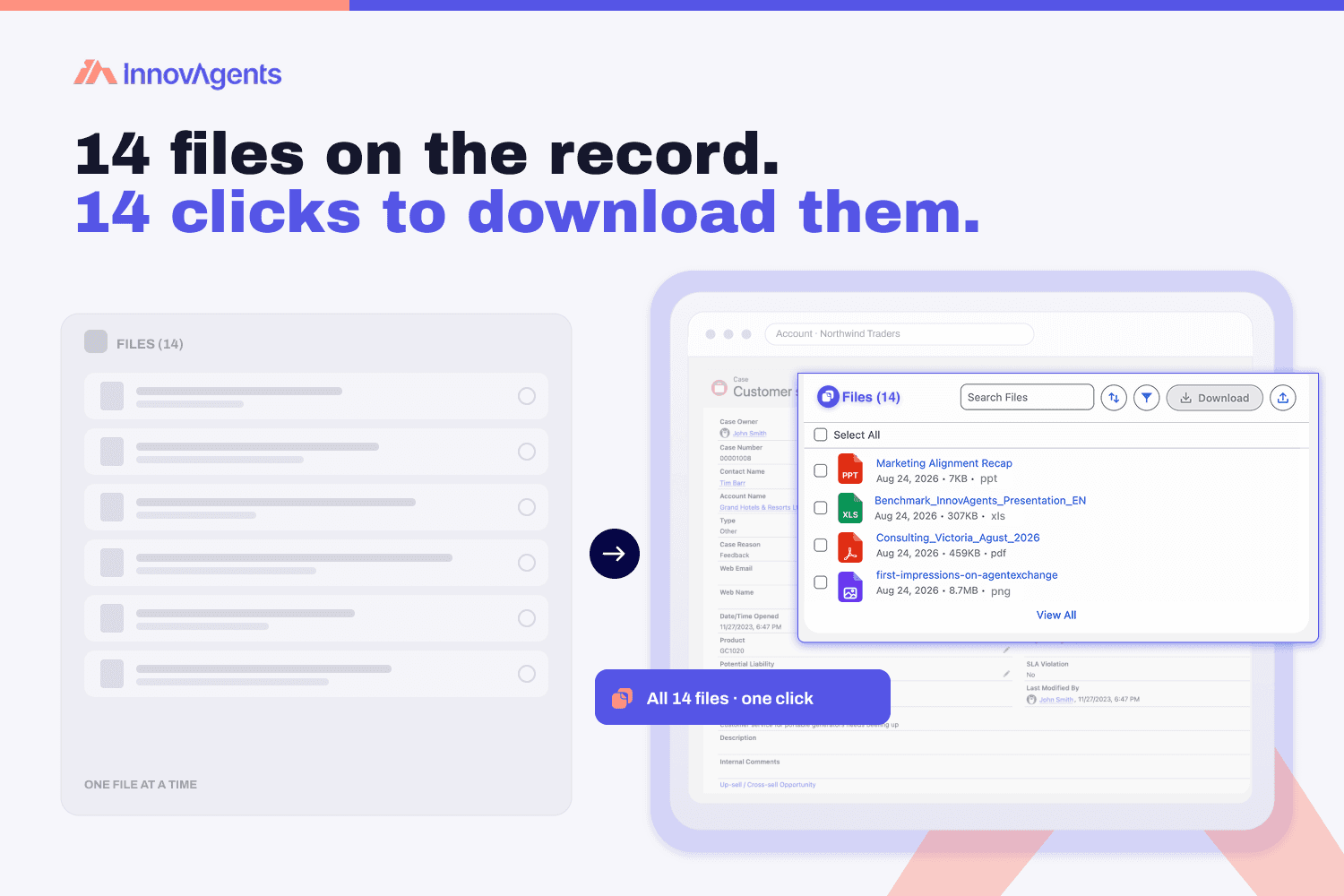
Image 1 of 4
Pricing
Free.
Compatibility
- Works with
- Sales Cloud
- Service Cloud
- Experience Cloud
- Salesforce editions
- Essentials
- Professional
- Enterprise
- Unlimited
- Performance
- Developer
- Lightning Experience
- Supported
- Salesforce mobile app
- Not supported
- Salesforce security review
- Passed on April 1, 2024
- Industries
- Horizontal Product
- Languages
- English