OrgLimit Monitor
By GDIT
- Rating
- 4.9
- Reviews
- 8
- Pricing
- Free
- Listed since
- 2025
About OrgLimit Monitor
Proactive org-limit monitoring: alerts that matter, insights on demand.
OrgLimit Monitor helps you stay ahead of Salesforce org limits. It watches usage, spots sudden spikes, and sends alerts so you can act before users are impacted.
WHAT YOU CAN DO
- Prevent outages during deployments or busy periods
- Plan capacity with clear trends
KEY FEATURES
- Smart alerts: Get notified when usage crosses your thresholds or jumps suddenly
- Daily snapshot: See a full picture of all limits each day
- Frequent checks (optional): Hourly or every 15 minutes for selected limits
- Trend history: 90 days of data for reports and dashboards
- Easy setup: Choose limits to monitor and set thresholds in minutes
HOW IT WORKS 1. You pick which limits to watch and set thresholds. 2. A daily job captures all limits for reporting. 3. A frequent job (optional) checks selected limits and compares the latest run to the previous one to catch fast spikes. 4. Opted-in users receive email alerts when something needs attention.
GETTING STARTED
- Assign the provided permission set to the right users
- Add the “receive alerts” checkbox on the User page
- Choose limits and thresholds
- Schedule the daily job (and the frequent job if you want near-real-time checks)
Highlights
- Proactive Alerts: Get threshold and spike notifications before limits disrupt users or releases.
- Spike Detection: Detect rapid usage jumps (e.g., >10% since last run) to act early.
- Dual Schedules: Daily full snapshot plus frequent checks (hourly or every 15 minutes).
- Trend History: 90-day usage history for reports, dashboards, and capacity planning.
- Admin LWC: Select limits to monitor and set per-limit thresholds in minutes.
- 100% Native: Built with Apex and LWC; no external services, callouts, or secrets.
- Fast Setup: Assign the PS, add the opt-in checkbox, configure thresholds, and schedule jobs.
Screenshots and videos
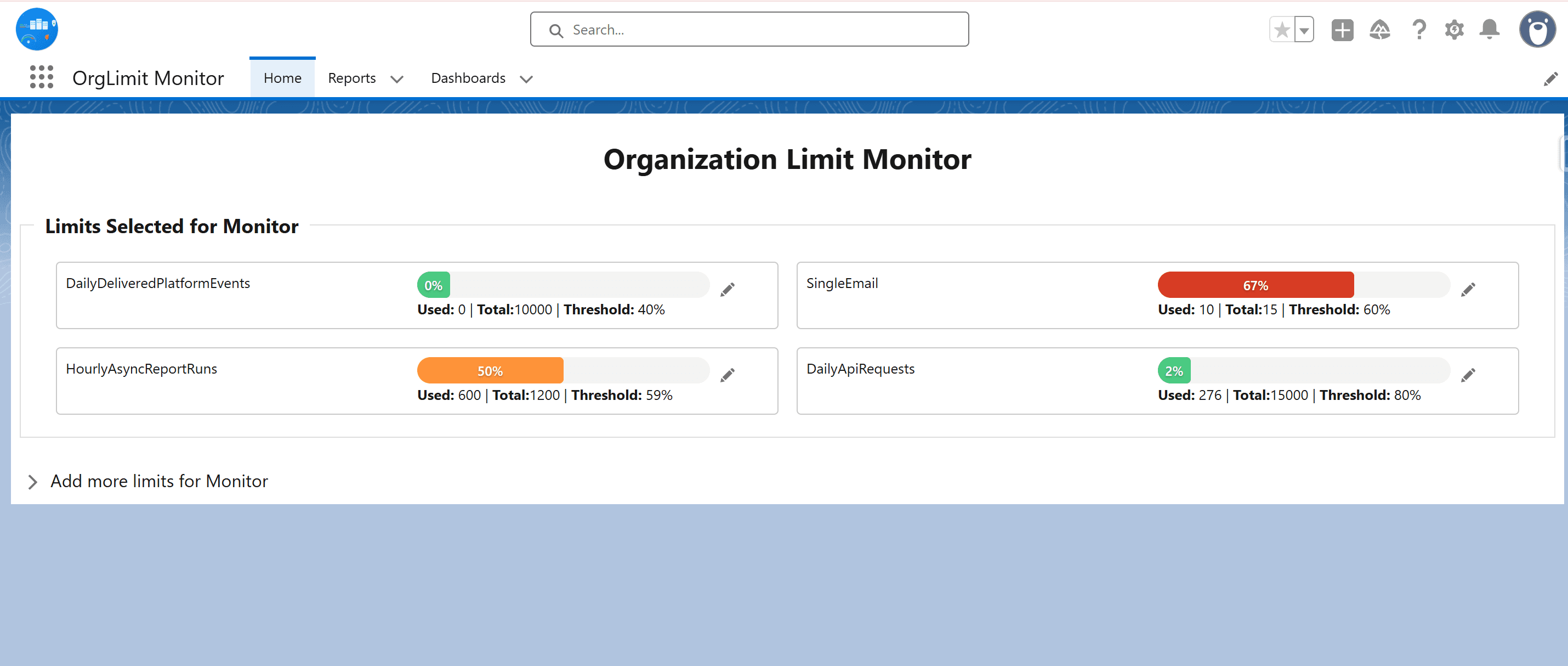
Image 1 of 13
Pricing
Free.
Compatibility
- Works with
- Sales Cloud
- Service Cloud
- Government Cloud
- Requires
- Sales Cloud
- Service Cloud
- Health Cloud
- Government Cloud
- Salesforce editions
- Enterprise
- Unlimited
- Developer
- Lightning Experience
- Supported
- Salesforce mobile app
- Not supported
- Salesforce security review
- Passed on November 12, 2025
- Languages
- English