Document Generation
DocGen | Native PDF & DOCX | Word, Google Docs Templates
By RavenApps
- Rating
- 5.0
- Reviews
- 4
- Pricing
- Paid
- From $5 per user per month
- Listed since
- 2025
About Document Generation
Document Generation done Fast. Light. Native.
HOW IT WORKS
1. Design your template in Microsoft Word or Google Docs (or Apple Pages, exported as .docx) — merge fields like {{Name}}, related-list tables, conditional sections, images, headers and footers.
2. Upload it in DocGen Manager — Word templates are automatically prepared for PDF generation on upload.
3. In Lightning App Builder, add the DocGen Button to any record page: choose your template, output format (PDF or editable .docx), SOQL query, and file name — which supports merge tokens, e.g. {{Name}} Order Form {{Today("yyyy-MM-dd")}}.
4. One click → document generated, saved to the record, opened.
SAMPLE QUERY- Account with Contacts
SELECT Name, BillingAddress, Phone, Website, Industry, Type, Owner.Name, Owner.Email, Description, (SELECT Name, Title, Email, Phone FROM Contacts ORDER BY Name) FROM Account
SAMPLE TEMPLATE - Account with Contacts
https://ravenapps.my.salesforce.com/sfc/p/#4K000000GLhd/a/P1000002Ihmv/4yzG4f9hfVWSUBZZ_E1oXcccp.oTLsKZK1o5QPTGoIM
Highlights
- 1. GO FAST Install to first document in minutes. One click → doc generated → saved to the record → opened. Sandbox install is full and unrestricted with no time limit — validate your use case first.
- 2. GO LIGHT Lightweight, 100% native (latest LWC). Works across every queryable object in your org — standard or custom, any SOQL-compatible data.
- 3. GO NATIVE Templates and generated documents live in Salesforce Files, against the record. No external services, no callouts, no data processing agreements — your data never leaves Salesforce.
- 4. NATIVE PDF GENERATION Polished PDFs from your Word or Google Docs template: your document's own page size, margins and page breaks, live page numbers, clickable links from URL and Email fields.
- 5. EDITABLE WORD OUTPUT Generate editable Microsoft Word documents (.docx) — amend T&Cs or tailor a contract after generation, something PDF-only tools can't do.
- 6. CONDITIONAL CONTENT Show or hide sections based on record data with {{IF:…}} blocks — one template that adapts itself: payment terms by payment type, clauses by region, sections by record type.
- 7. TEMPLATE MANAGER Upload, preview, version, and delete templates in one place. New versions flow to generation automatically.
- 8. DESIGN ANYWHERE Build templates in the tools your team already knows: Microsoft Word, Google Docs, or Apple Pages (exported as .docx). No proprietary template builder to learn.
- 9. BUILT WITH YOU Actively developed with regular releases — recent additions include native PDF generation, conditional content, and dynamic file names. Have a feature request? Book a call — customer requests shape the roadmap.
Screenshots
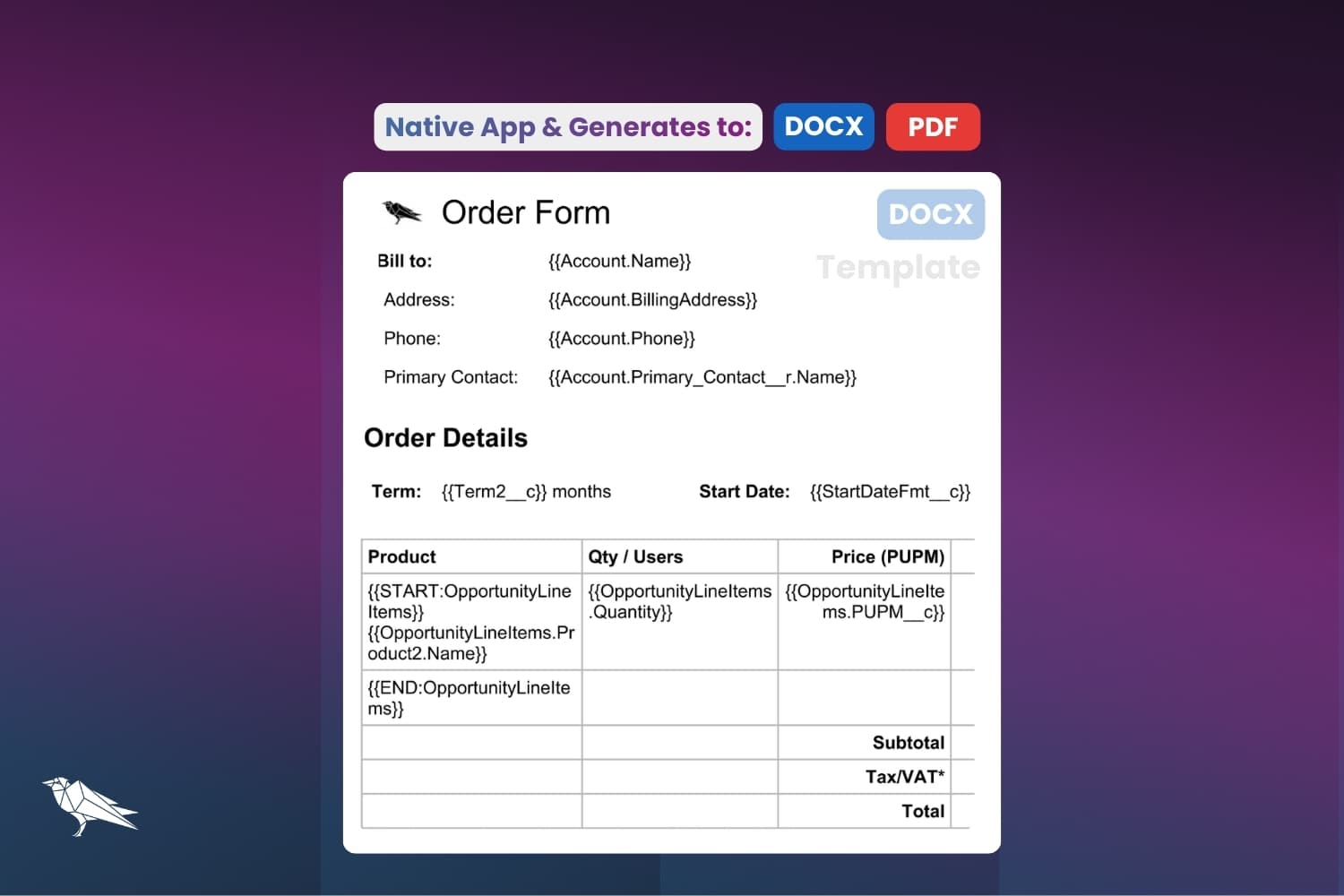
Image 1 of 8
Pricing
Paid, from $5 per user per month.
| Plan | Price | Billed |
|---|---|---|
| DocGen | $5 per user | Monthly |
Free in sandbox, email info@raven-apps.com for Production paid licenses.
The publisher offers discounts.
Compatibility
- Works with
- Sales Cloud
- Revenue Cloud
- Experience Cloud
- Requires
- Einstein 1
- Salesforce editions
- Enterprise
- Unlimited
- Performance
- Developer
- Salesforce security review
- Passed on February 10, 2021
- Industries
- Horizontal Product
- Languages
- English