Zoho Sign Integration for Salesforce
@Sign (adsign)
By Adure bv
- Rating
- 5.0
- Reviews
- 4
- Pricing
- Paid
- From $6 per user per month
- Listed since
- 2023
About Zoho Sign Integration for Salesforce
Send, sign, and sync Zoho Sign agreements natively within Salesforce
Stop Paying the "Enterprise Tax" for E-Signatures.
Most e-signature platforms charge for bloated features you don’t use. @Sign provides a high-performance, cost-effective alternative built specifically for the Salesforce ecosystem. By leveraging the power of Zoho Sign within your native Salesforce environment, you can slash your licensing costs by up to 70% while accelerating your sales velocity.
Why Salesforce Admins Love @Sign:
- Instant Setup: Go from AppExchange install to your first sent document in minutes.
- Object Agnostic: Works seamlessly with Leads, Accounts, Opportunities, and any Custom Object.
- Predictable Pricing: Transparent per-user or unlimited site licensing with no hidden overages.
Highlights
- Intelligent Sign Forms: Effortlessly collect client data before contract creation. Deploy secure, tokenized forms in Community Portals (Experience Cloud), and convert submissions to contracts. Highlight the drag-and-drop form builder.
- Native LWC Command Center: Deploy our Lightning Web Component to any page to send, track, and manage agreements with a unified, color-coded timeline.
- Intelligent Sign Mappings: Create the ultimate data bridge. Pre-fill Zoho templates with Salesforce fields (Standard or Custom) and sync signed data back to your records instantly.
- Flow & Apex Ready: Automate signature requests using Salesforce Flow. Trigger agreements based on deal stage, status changes, or custom logic—no code required.
- Actionable Dashboard: Gain instant visibility into critical items such as expired sign requests, forms awaiting conversion to contracts, and any system synchronization errors.
- Manage Zoho Sign natively: Draft, edit templates, and track the full "Send-Sign-Sync" lifecycle without ever leaving Salesforce. Eliminate tab-hopping with a 100% unified Lightning experience.
- Stop being restricted by rigid templates. @Sign allows you to handle ad-hoc requests by uploading any PDF directly from Salesforce Files to create a custom agreement on the fly. Simply drag-and-drop your signature fields and send—maintaining full tracking
Screenshots
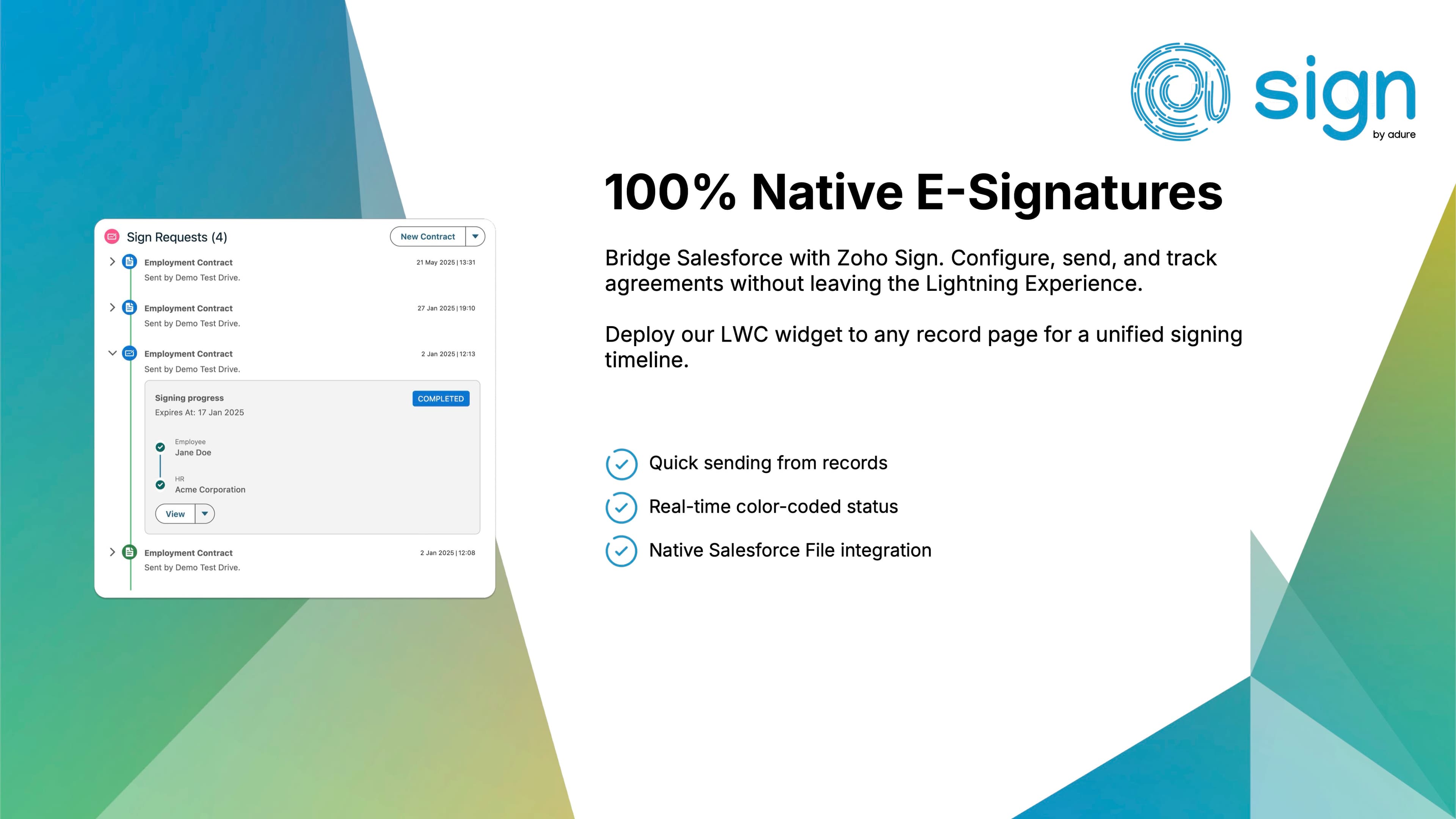
Image 1 of 12
Pricing
Paid, from $6 per user per month.
| Plan | Price | Billed | Free trial |
|---|---|---|---|
| @Sign - User | $6 per user | Monthly | 14 days |
| @Sign - User - Yearly | $64.8 per user | Yearly | 14 days |
| @Sign - Company | $7,000 per company | Yearly | 14 days |
| @Sign - User | €5 per user | Monthly | 14 days |
| @Sign - User - Yearly | €54 per user | Yearly | 14 days |
| @Sign - Company | €6,000 per company | Yearly | 14 days |
| @Sign - User | A$9 per user | Monthly | 14 days |
| @Sign - Company | A$10,600 per company | Yearly | 14 days |
| @Sign - User | £4.5 per user | Monthly | 14 days |
| @Sign - User - Yearly | £48.6 per user | Yearly | 14 days |
| @Sign - Company | £5,250 per company | Yearly | 14 days |
| Zoho Sign API Plan | $0.5 per envelope | Yearly | None |
| Zoho Sign API Plan | €0.5 per envelope | Yearly | None |
| Zoho Sign API Plan | A$0.5 per envelope | Yearly | None |
Zoho Sign charges 0.5/ envelope using the API plan, no subscription or monthly cost!
Compatibility
- Works with
- Sales Cloud
- Service Cloud
- Platform Cloud
- Salesforce editions
- Enterprise
- Unlimited
- Performance
- Developer
- Lightning Experience
- Supported
- Salesforce mobile app
- Supported
- Salesforce security review
- Passed on September 12, 2023
- Industries
- Financial Services
- Healthcare & Life Sciences
- Professional Services
- Languages
- Dutch
- English